Hello,
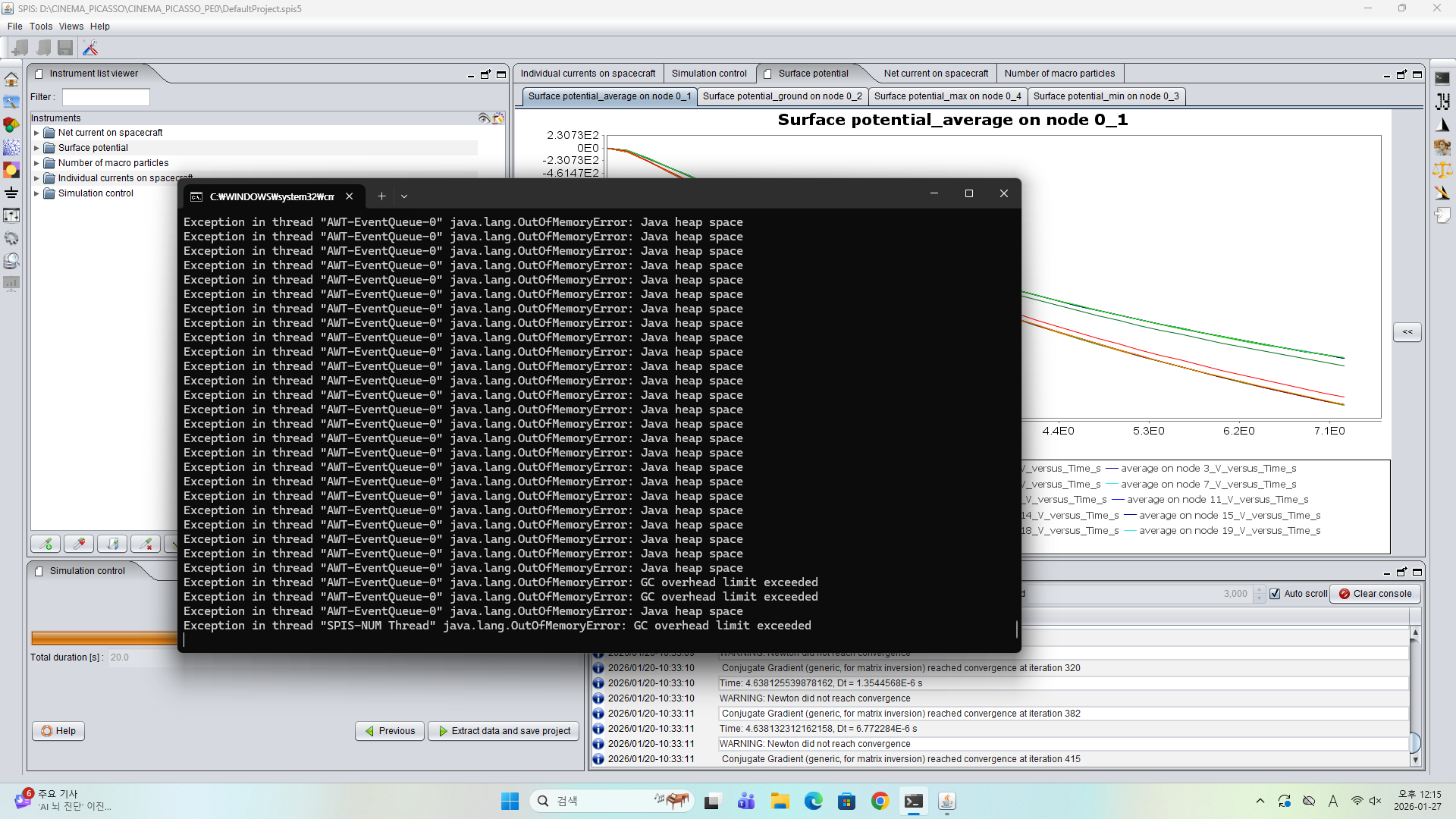
When I run SPIS simulations, I sometimes get a memory error and the simulation cannot continue. I’m not sure whether this is due to insufficient memory on my personal PC or an issue within the SPIS GUI.
Do I need to upgrade my PC’s RAM or CPU performance?
Thank you.
Not a Windows SPIS user, but I think in your spis.bat file there should be a HEAP_SIZE= line, where this variable is set. Set this value to a reasonable number compared to your available RAM and restart the simulation. If the problem doesn’t go away, upgrade your computer.
Indeed, this often the second line of the starting .bat file.
Otherwise, in recent versions of SPIS, you can go to SPIS preferences (Tools > Preferences) and go to system tab and change the value of the system memory available to SPIS. Then restart SPIS for the value to be updated .
Hello,
After changing the “Maximum allocated memory” in the GUI from the default value (1024) to 24000, the issue seems to be resolved. Also, for those running long simulations, it appears that disabling the “unlimited” setting in the log console prevents the GUI from freezing.
Thank you!